
How to Find Your Profile Link
Step-by-step guide to finding and copying your PixAI profile link on web and mobile, so rewards can be sent to the right account.
When the feedback form asks for your profile link, follow these steps to get the correct URL (it starts with pixai.art):
Web
Sign In to PixAI
Open pixai.art and sign in to your account.
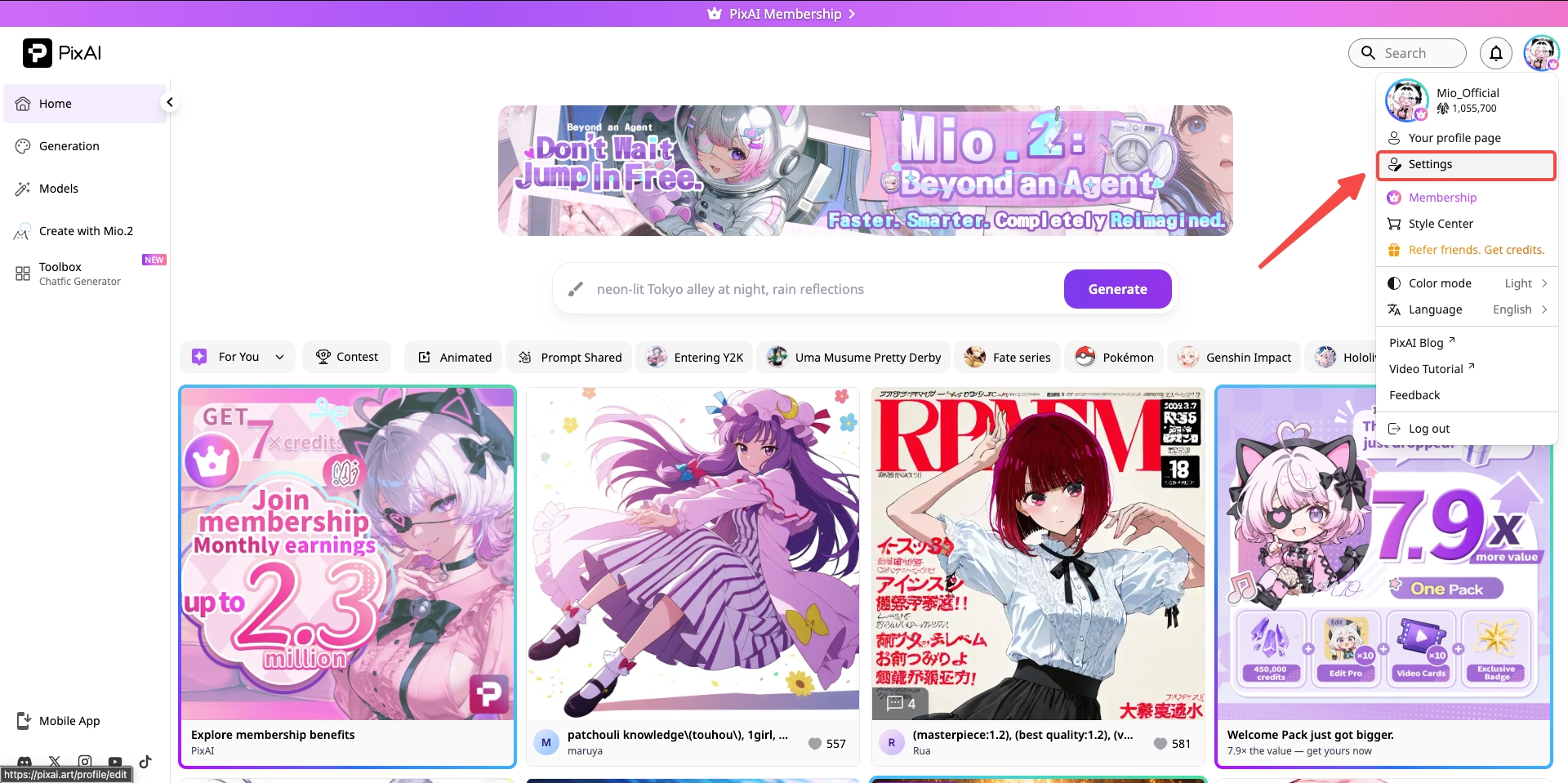
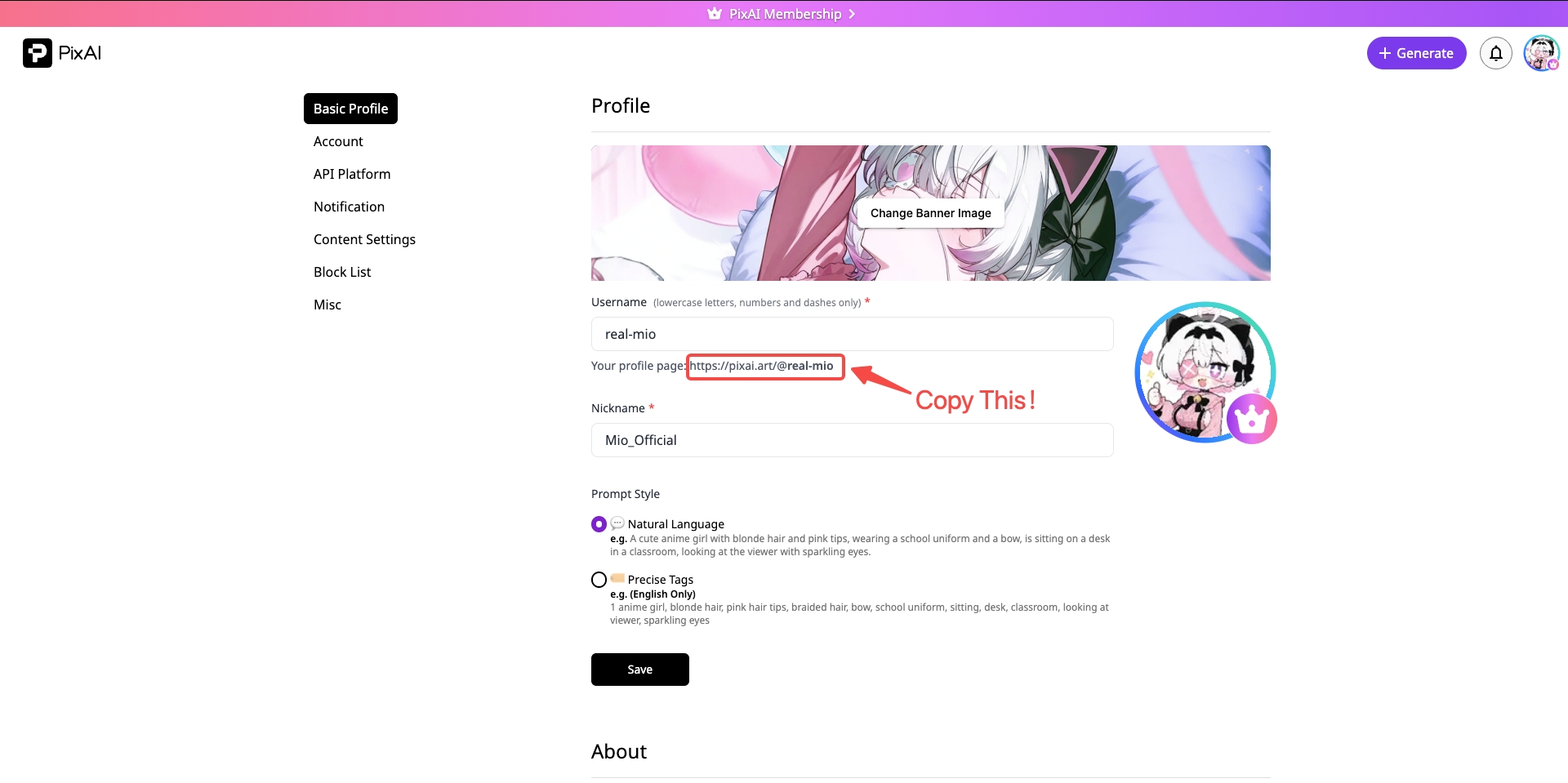
Copy Your Profile Link
On the Settings page, copy the profile link shown there, for example:
https://pixai.art/@yourname
Paste it back into the feedback box.
Mobile App
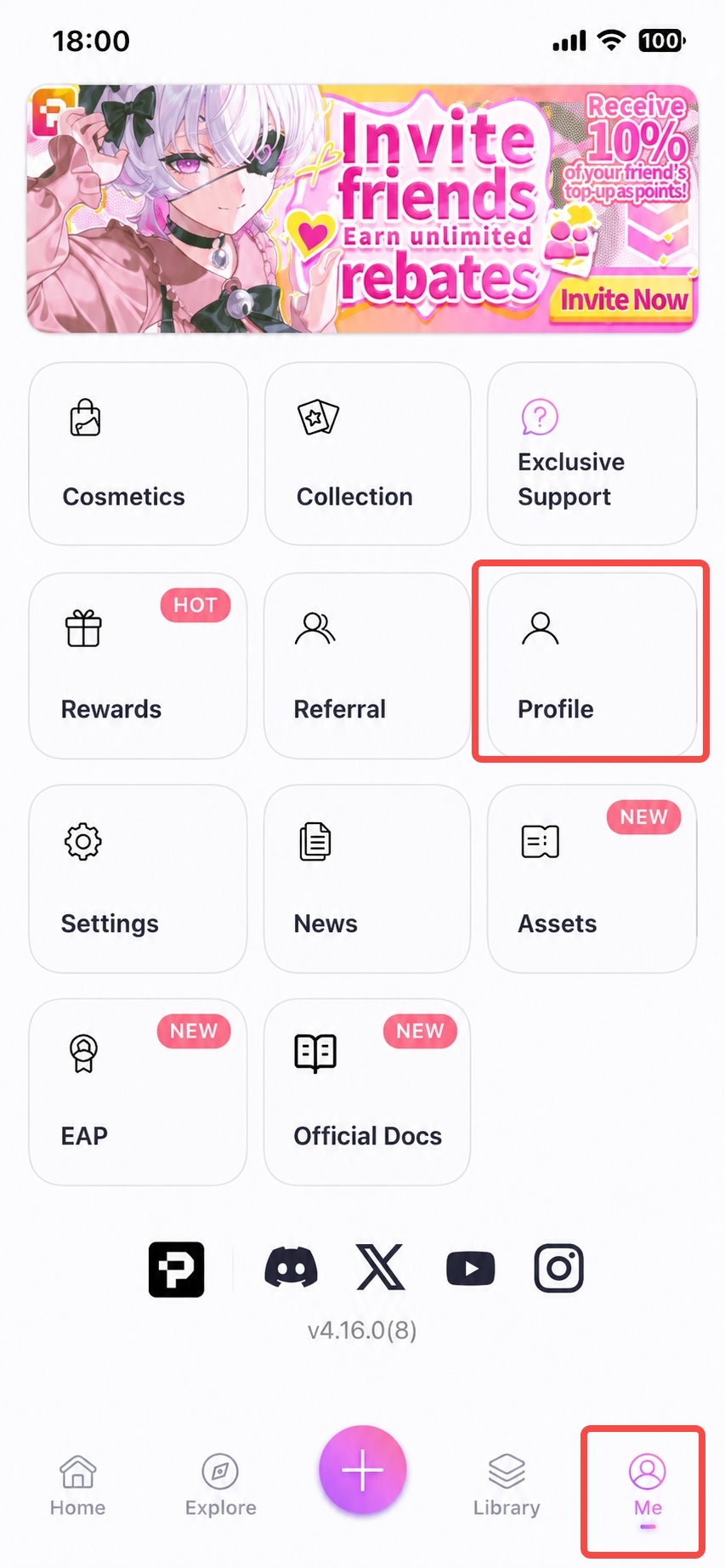
Open Your Profile
Open the PixAI app, tap the icon in the bottom-right corner, then open your profile.
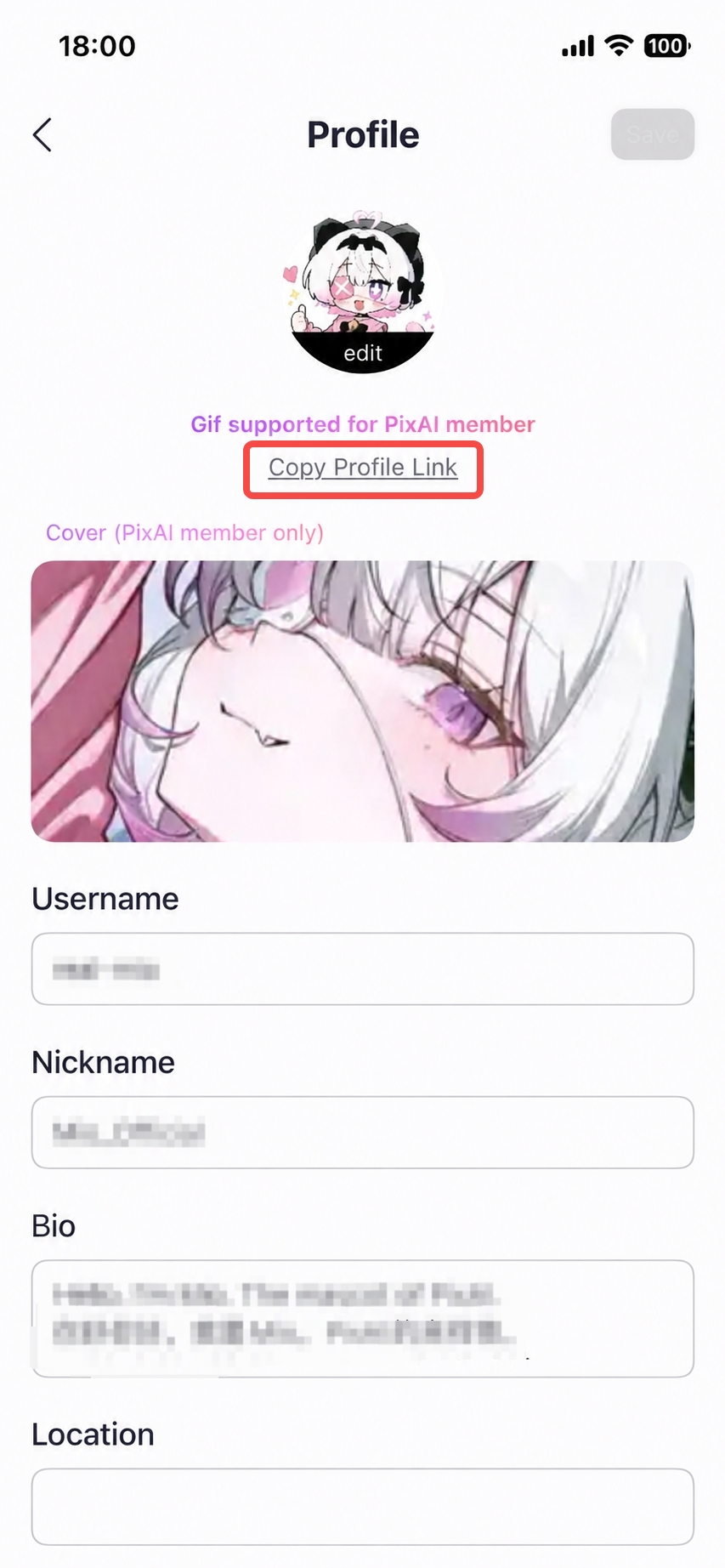
Copy Your Profile Link
On your profile, tap the link to copy it to your clipboard, then paste it into the feedback box.
The link must start with
pixai.art so we can send the reward correctly.Was this page helpful?
🎁 Adopted valid suggestions earn a 5,000 Credit reward!