
Generate audio
Turn text into speech, music or sound effects with an Audio node, and change how the voice sounds.
An Audio node makes speech, music, ambience or sound effects from a prompt. You can change how the voice sounds, use a reference voice, and trim the result.
Generate audio
Describe the audio. For speech, write the lines and say how they are spoken, for example the emotion. You can also describe music, ambience or sound effects.
Click Generate, or press Ctrl/Cmd + Enter.
When the run is complete, the node shows a waveform. Click play to listen.
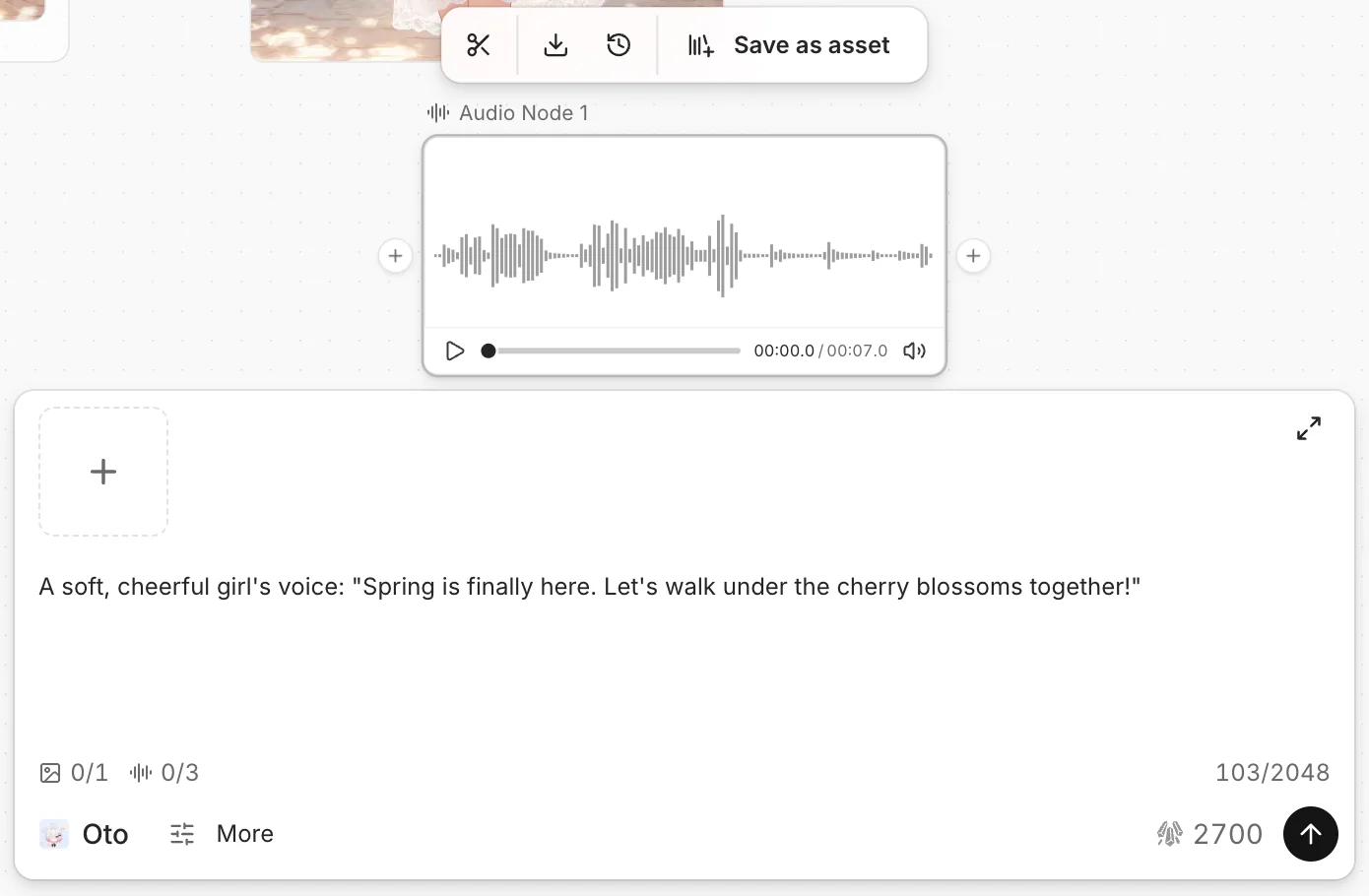
To start fast, click Text to speech on an empty Audio node. It adds a Text node with sample lines, connected to the Audio node. Keep the lines in the Text node and the delivery notes in the Audio prompt. See Write text.
Use a reference voice
To make speech in a specific voice, connect an audio node with that voice to the Audio node. It can be a file you uploaded or an earlier result. See Nodes and connections.
Change the voice settings
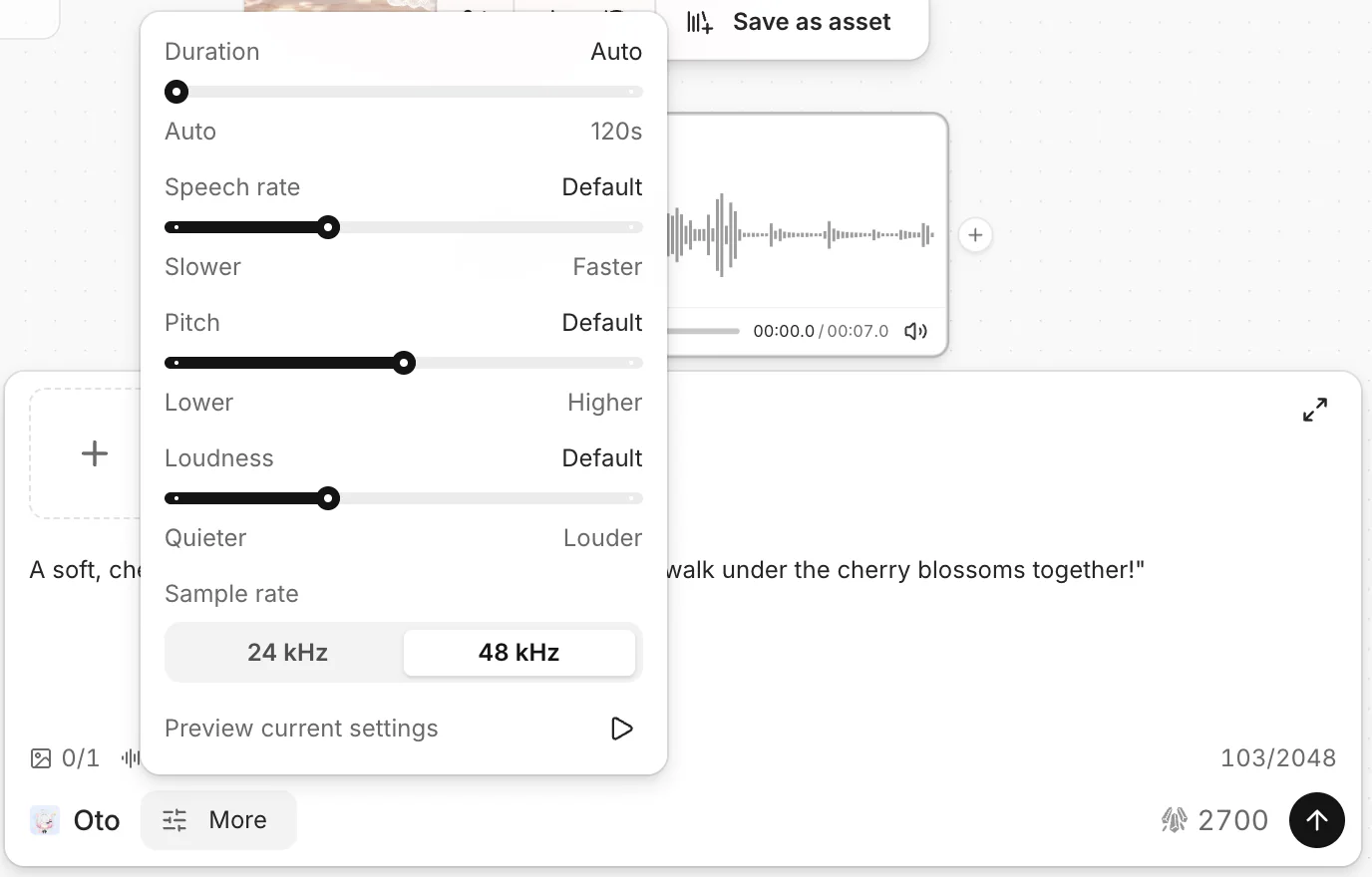
Open the settings next to the model name in the prompt bar.
- Duration: Auto lets the model choose the length.
- Speech rate, Pitch and Loudness: move the sliders.
- Preview current settings: hear a short sample before you generate.
Trim audio
Click Apply. A new Audio node shows the trimmed audio. The original node does not change.
Save and use audio
Click Download in the node toolbar to save the file, or Save as asset to add it to your asset library. To put the audio under a video, see Add audio and export.
Common questions
The run failed because the text is too long.
Shorten the text, or split it across two Audio nodes, then run again. Your credits for the failed run are refunded.
Where are my earlier results?
A new run replaces the audio in the node. Click Generation history in the node toolbar.
Was this page helpful?
🎁 Adopted valid suggestions earn a 5,000 Credit reward!